Defect Management Overview - Bug Tracking Guide
Defect Management helps teams track, manage, and resolve software defects throughout the testing and delivery lifecycle. It provides a structured way to report issues, assign ownership, monitor progress, and ensure defects are validated and closed effectively.
Defects can be linked to test cases, test executions, and requirements, ensuring full traceability from discovery to resolution.
What Are Defects?
Defects represent issues found during testing or reported by users. They describe behavior that does not meet expected requirements or quality standards.
Defects may include:
- Functional Issues – Features not working as expected
- Performance Problems – Slow or inefficient behavior
- UI / UX Issues – Visual or usability problems
- Security Vulnerabilities – Security-related concerns
- Data Issues – Incorrect data handling or persistence
Each defect is tracked as a first-class entity within the project.
Defect Lifecycle
Defects move through defined statuses that reflect their progress and ownership.
- New – Defect has been reported and awaits triage
- In Progress – Work on the defect has started
- Resolved – Fix implemented, pending validation
- In Test – Fix is being validated by QA
- Verified – QA has confirmed the fix
- Closed – Defect is completed and closed
- On Hold – Temporarily paused
- Deferred – Scheduled for a future release
- Duplicate – Duplicate of another defect
- Reopened – Issue has reoccurred after resolution
- Rejected – Determined to be invalid or not actionable
Status transitions help teams clearly understand where each defect stands.
Defect Properties
Each defect contains structured information to support tracking and resolution:
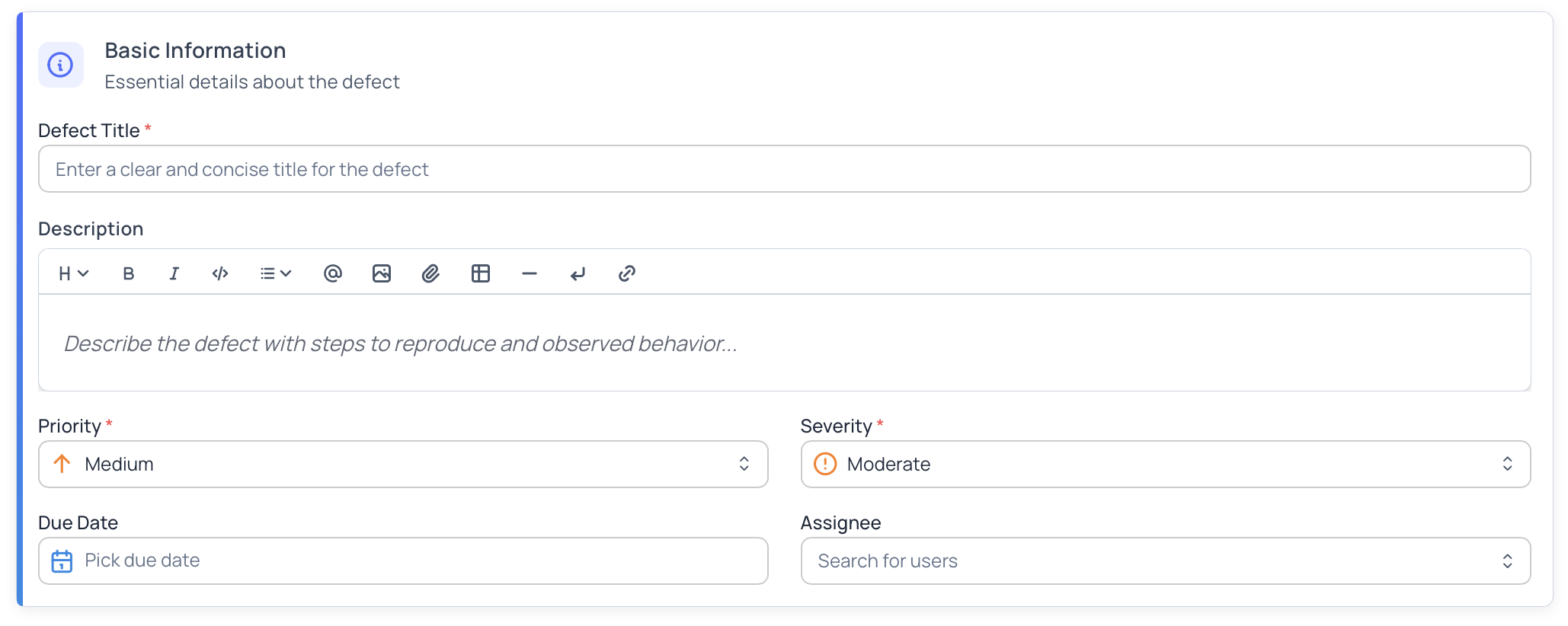
- Title – Short summary of the issue
- Description – Detailed explanation of the problem
- Priority – Urgency of the defect (Critical, High, Medium, Low)
- Severity – Impact of the defect (Blocker, Critical, High, Moderate, Low)
- Status – Current lifecycle state
- Reporter – User who reported the defect
- Assignee – User responsible for fixing it
- Due Date – Target resolution date (optional)
- Traceability – Links to test cases, executions, and requirements
- Custom Fields – Project-specific metadata
Traceability
Defects support end-to-end traceability across the testing workflow.
A defect can be linked to:
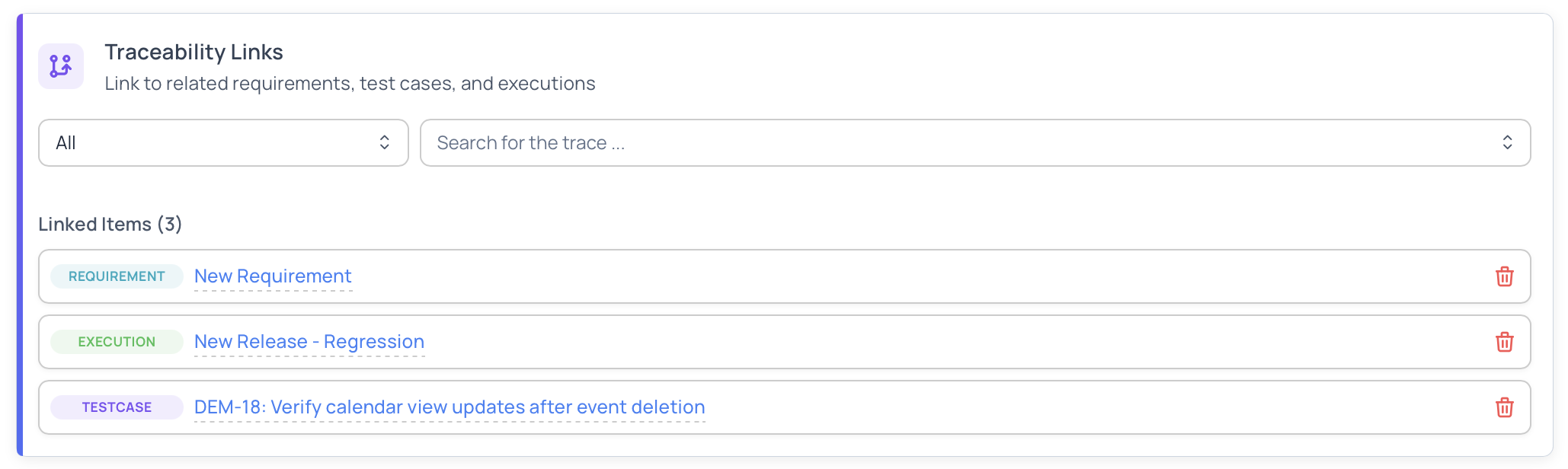
- Test Cases – To show which tests exposed the issue
- Test Executions – To capture when and where the defect occurred
- Requirements – To understand business impact
This helps teams answer questions like:
- Which tests failed because of this defect?
- Was this defect found during a specific release?
- Which requirement is impacted?
Accessing Defects
From a Project
- Navigate to your workspace
- Select a project
- Click Defects in the project sidebar
From the Workspace
- Navigate to your workspace
- Click Defects in the workspace sidebar
- View defects across all projects
When accessed from the workspace, the defects list includes project context.
When to Use Defects
Use defects to:
- Track issues discovered during testing
- Coordinate work between QA and development
- Monitor quality and release readiness
- Maintain historical records of issues
- Improve overall product quality through visibility
Next Steps
- Learn how to Create & Manage Defects
- Understand Defect Details & Editing
- Explore Defect Filters & Insights
- Review Defect Best Practices